Running your own MCP servers: which costs keep coming back?
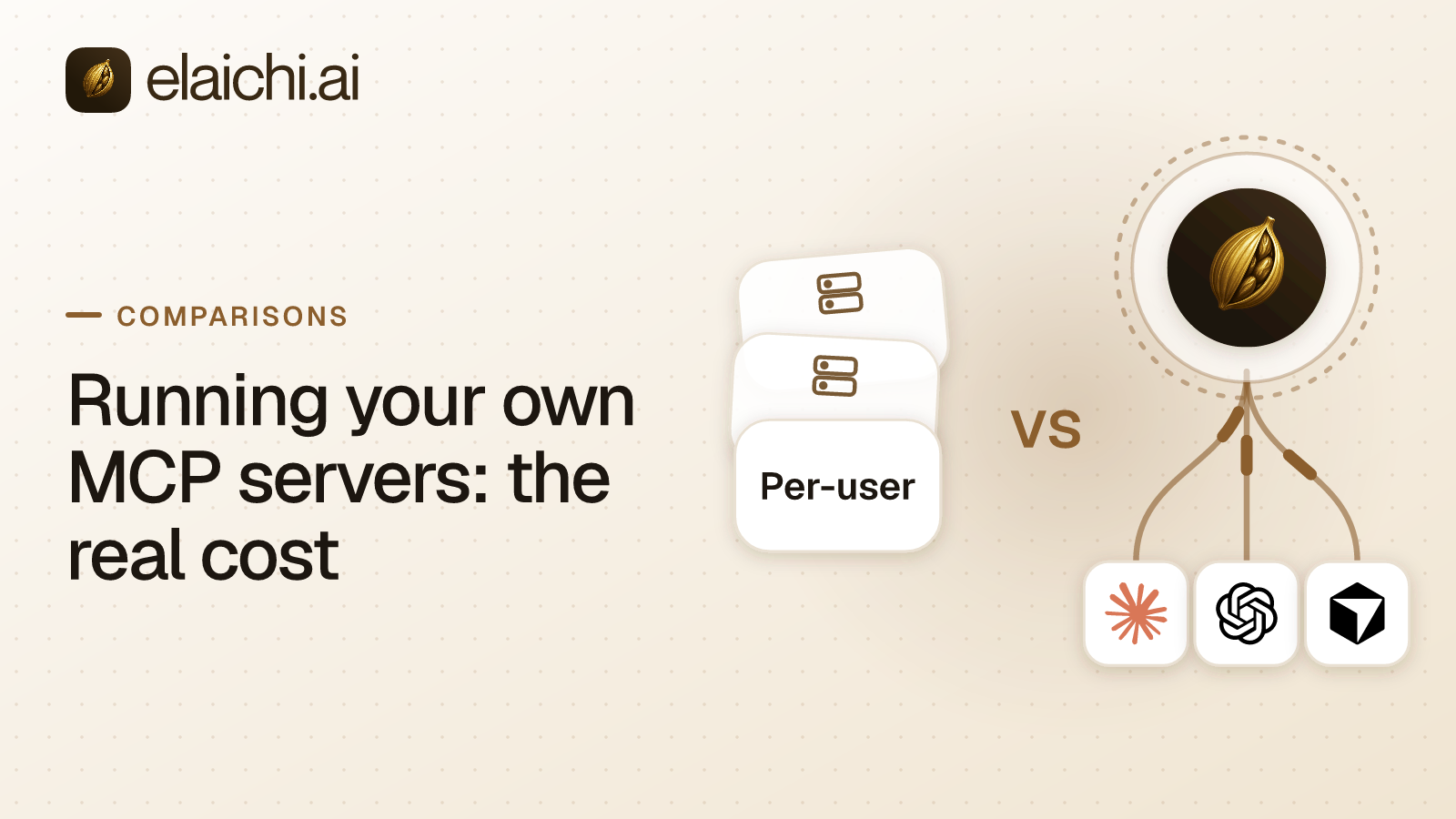
Running your own MCP servers is cheap to start and expensive to keep. The costs that come back are credentials, token refresh, per-user sign-in and audit, and they grow with every server.
MCP (Model Context Protocol) is the standard way an AI assistant calls tools in other apps. An MCP server is a small service that offers those tools, here over the Streamable HTTP transport in the MCP spec. The first one takes an afternoon. You pull a server for your ticketing system, give it a token, run it somewhere the team can reach, and point Cursor at it. Nothing about that afternoon is wrong. The real question does not arrive until the ninth server. By then four of the servers hold a long-lived token in an environment variable, and two broke the week an OAuth app rotated its keys. Nobody can say which of two connected workspaces an agent wrote to last Tuesday.
The recurring costs arrive in roughly this order, and each one shows up only once the one before is handled:
- Credential storage: where the secret sits and what a read-back returns.
- Refresh: what happens when a token expires overnight.
- Per-user auth: whether the server knows who is calling.
- Access rules: what each caller may reach, and where that is checked.
- Audit: which account each call actually reached.
- Offboarding: what still works after a person leaves.
A backlog grows behind those six with every connector. A served control plane answers most of it, and the case for keeping a server yourself is here too.
Which kind of managed MCP are you comparing against?
Managed MCP comes in three broad shapes that fail in different ways, so name the one you mean before you compare. The vendor-by-vendor map of gateway shapes covers the whole field.
- A proxy in front of servers you run. Sign-in and logging move to a gateway, but the server code, its bugs and its schema stay yours. Governance is only as good as what the proxy sees.
- A hosted registry. The vendor deploys community-maintained servers for you. That buys breadth, but rules are matched against a schema the vendor did not write.
- A first-party connector author. The vendor writes and maintains the connector code, so a rule can bind to the real upstream operation.
Elaichi is the third shape: the MCP server itself for most of its 600+ connectors, which it authors, with vendors' own MCP servers governed for the rest.
Where do the credentials live, and who guards them?
On a server you run, the credential sits on the host as an environment variable or a secret-manager entry. Anyone who can reach the server acts as that token. Elaichi keeps connector credentials out of its own store. A separate credential service holds them, encrypted at rest with AES-256-GCM.
The split is deliberate. One separate data store per organization holds members, roles, connections, restrictions and grants. The store that answers "may this person call this tool" never holds the token, so compromising one does not hand over the other. Reading an account's configuration returns the public values plus secret_paths, the list of encrypted dot-paths, with none of their values.
Two controls sit on top. An organization can bring its own OAuth app per connector. It takes a client ID, a client secret and scopes but no URL, so the flow cannot be pointed at another host. Elaichi gates that on connector:manage rather than connection:manage, so the right to delete a connection is not the right to repoint the OAuth app. For key custody, customer-managed keys in AWS KMS come with the Black plan, which is launching soon (AWS KMS).
Self-hosting the equivalent means you own the encryption, the key rotation and the rule about what a configuration read may echo back. With one credential and an existing secret manager, that is a few hours of wiring. At nine servers and thirty accounts, it is a product with its own backlog.
Who owns token refresh at two in the morning?
Someone always does. In Elaichi it is the credential service, and on a server you run it is whoever carries the pager. Refresh swaps an expired token for a new one without a fresh sign-in, on the vendor's clock rather than yours. When an Elaichi refresh fails, the connection is marked needs_reauth so its owner can reconnect.
That visible state exists because the alternative is worse than an outage. A server that keeps calling with a dead token returns errors shaped like permission problems. A model reads those as a cue to try another tool. You get a confident wrong answer instead of a connection someone can fix.
Write refresh handling yourself and the list is longer than it looks:
- Detect expiry before the call by tracking token lifetimes, not only by catching 401 errors afterward.
- Handle rotation, where a provider retires the old refresh token on every use. A naive retry with the old one creates a race condition.
- Tell "token expired" apart from "app revoked on the vendor's side." The second keeps failing however often you refresh.
- Stop calling once the state is known to be bad, instead of retrying into a rate limit.
- Show the state where the connection's owner will see it, such as a Slack DM, not a log line.
Each item is small alone. Across every connector they add up to an on-call rotation for failures that look like the model's fault.
Is the caller a person or a shared service account?
Most self-hosted servers start with one shared credential, so every call looks like the server made it. Elaichi ties every call to the person who signed in.
Per-user OAuth is the expensive part to build: a consent screen, a token store keyed by user, and a rule for when that user leaves. A shared credential skips all of that, but then the answer to "who did this" is the server. Security reviews stop accepting that once a few people share the token.
Elaichi has one organization-wide endpoint, the address every client connects to: POST /mcp, speaking standard MCP over Streamable HTTP and JSON-RPC 2.0. It is stateless and sits behind OAuth, the standard that gives a client a scoped grant instead of a password. Each user signs in, and the grant belongs to that person. No toolbox (a named set of tools and accounts handed to a client) gets its own URL, and no token sits in a client config. Revoking access is therefore a database write, not a hunt for a URL somebody pasted into a client. Claude, ChatGPT and Cursor share that one URL, each member connects once, and a fourth client takes the same shape.
Elaichi signs people in through your identity provider over SAML or OIDC single sign-on (SSO), and SCIM v2 pushes users and groups in from it.
What access rules would you have to build yourself?
Roles, sharing and per-tool restrictions, checked the same way on every path a request takes. The MCP spec supplies none of them. A self-hosted server usually checks once, at execution, because that is where the code lives.
Elaichi runs one resolver (the code that decides allow or deny) at every place a member can reach a connector or tool, including listing, connecting, advertising, executing, the final outbound-request check and opening a stored tool file. The advertise check matters because a tool withheld from the list is one the model cannot retry or work around.
Elaichi also keeps three layers apart, since mixing them makes a homegrown model hard to explain to an auditor. Permissions are 58 action strings grouped into roles, one role per member. Sharing gives a user, a team or everyone in the organization view, use or edit rights on one resource. Nobody, owners included, sees a resource they neither own nor were given. Restrictions decide which connectors and which individual tools a target may reach.
The rules are narrow on purpose, and restriction targets are role or user only; the organization default is the absence of a rule, which means allow everything. A member is governed by their role's rules and by any rule aimed at them personally, and a tool is reachable only when both admit it. A rule aimed at a member can only narrow what their role allows, and never replaces or loosens a role rule. Blocks always beat allows. Note that the allowlist stage engages on the presence of an allow rule, not its contents, so an allow rule that names nothing denies everything.
Rules bind to operations, not labels. Elaichi pins the underlying operation when a rule is saved, because anyone who edits a connector's documentation can rename a tool. A block fires on the name or the operation, and an allow on the operation alone, as the rename case explains.
Some arguments should never be the model's choice. Frozen parameters are hidden from the advertised schema, and their values override whatever the caller sends. Built by hand, that is schema rewriting plus a merge order to defend to a reviewer.
One limit holds on both paths. The prompt-injection write gate lives in the Elaichi agent window and does not apply to a raw tool call. An MCP server sees only the arguments a client chose to send, never the user's prompt. What does hold at POST /mcp is per-operation RBAC (role-based access control), OAuth scope limits, output redaction, the forbidden classification and an audit row for each call that reaches execution. A server you build has none of those until you write them.
What does a defensible audit trail cost to build?
Per-server log files are easy. A trail a reviewer accepts needs one record shape across every server, and rows no other organization can query. Each connected-tool call that reaches execution in Elaichi leaves one record naming who or what made it, what ran and which account it reached. The fields an AI audit log must hold are set out in full elsewhere.
Two parts cost more than a log table. The first is tenancy. An org_id filter in a WHERE clause leaks the day someone drops the clause. Elaichi scopes each organization's audit history in the type system, so a wrong scope returns nothing. The second is error text. A vendor's error message can carry that vendor's data, and audit records may be forwarded to a SIEM (security monitoring system). Elaichi keeps the caller's error text out of the trail for that reason.
Two caveats remain. Beyond the in-app trail, export to your own Datadog comes with the Black plan, which is launching soon (Datadog). Elaichi accepts Splunk HEC and Microsoft Sentinel as destinations but delivers events only to Datadog. And deleting an organization deletes its connector credentials but leaves three stores: the audit history (each record ages out under the log server's 90-day retention, counted from when it was written), analytics events, and the credential service's organization, environment and installed-connector configuration rows. Elaichi reports that residue by name.
What happens to a leaver's access on each path?
On servers you host, offboarding is a checklist: revoke the keys, shut down the instance, and hope nobody kept a copy of the URL. In Elaichi, grant revocation, member removal and suspension take effect on the next call, whichever client makes it, and so do revoking a share and disconnecting an account. The grant is re-read on every call, and removing or suspending a member revokes every live grant in the same transaction as the membership change. Role and restriction changes take the slower path of about two minutes, so treat the two kinds of change separately.
Removal in Elaichi also runs a preflight. A private connection that a shared toolbox depends on blocks the removal until an admin transfers it to a member. A transfer goes to one member, never to a team or the organization. A private connection that nothing beyond the person depends on cannot be transferred and is deleted with them. The order of operations for a member's last day is written up step by step.
What else sits on the build backlog?
Connector upkeep, tool discovery, orchestration and residency. Each is easy to leave out of a first estimate.
Connector upkeep scales with breadth times churn. Every connector is a contract with somebody else's API: fields appear, pagination changes, and endpoints are deprecated on the vendor's schedule. Two internal services are cheap, since you write their release notes. Thirty SaaS apps are a standing claim on engineering time. Elaichi maintains its connectors centrally, so a vendor's API change is not your deploy. The trade is that you cannot patch a connector you did not write at 4pm on the day a vendor renames a field.
Tool discovery changes too: a server you build lists its tools in tools/list, and the model picks from whatever you put there. In Elaichi, connected tools are never listed one by one, however few there are. The model finds them with search_tools, where a tool must clear a relevance floor before it is returned, and runs them with execute_tool.
Orchestration and residency finish the list. Elaichi's synthetic tools chain steps across connections, and each step passes the same restriction checks as a direct call. The run is audited as one row, with counts and no step results. A homegrown version is a second enforcement path that drifts from the first. Elaichi regions are chosen at organization creation. There are three, EU, US and APAC. For EU and US, the organization's data store and the execution of its org-scoped requests and tool calls stay in that jurisdiction. APAC uses best-effort placement and is not a residency guarantee. Promising regions yourself multiplies deployment and log isolation by each region a customer asks for.
How do the two paths compare, cost by cost?
Self-hosting keeps every cost in-house. A served control plane moves most of them onto a line item.
| Cost | You run the server | Served control plane (Elaichi) |
|---|---|---|
| Credential storage | Your secret manager, key rotation and read-back rules | Separate credential service, AES-256-GCM at rest, value-free secret_paths read-back; customer-managed keys come with the Black plan, launching soon |
| Refresh | You detect expiry, handle rotation, spot vendor-side revocation and surface the state | The credential service owns refresh; a failure marks the connection needs_reauth |
| Per-user auth | Usually one shared credential, so every call is the service account | One POST /mcp behind OAuth; the grant varies per person, the address does not |
| Access rules | Checked once, at execution | One resolver at every place a member can reach a connector or tool, including listing, connecting, advertising, executing, the final outbound-request check and opening a stored tool file |
| Audit | A schema you design and usually change twice | One record per executed call naming the account reached, in each organization's own audit history |
| Offboarding | A checklist, plus every copy of the URL | Grants cut on the next call; a preflight for connections others depend on |
| Connector upkeep | Every vendor API change is your on-call | Maintained centrally; forks pull upstream changes through a review screen |
When should you keep running your own MCP servers?
Keep them when the tool is yours, the risk is bounded and the audience is small. Self-hosting wins when all of these hold:
- The system is internal and proprietary, so there is no third-party OAuth app to refresh against.
- The blast radius (how much can go wrong if something breaks) is one team's own data, usually read-only.
- The network, or the service the server fronts, already settles identity, such as through a VPN.
- A handful of engineers use it from one client.
Under those conditions the build is small. A single-credential server with a long-lived static token takes a day or two, deploy and review included. Refresh for a token that really expires adds one to two days. Per-user OAuth adds two to four more, plus upkeep whenever the provider changes its rotation behavior. An audit schema a reviewer accepts will change after the first internal audit asks a question it cannot answer. That server does not need a control plane, and with one connected app and two people a gateway of any kind is premature.
Two more cases favor writing the server. One is logic that is not config-shaped, such as an internal pricing service with real branching or a datastore with no API. The other is placement. Elaichi is hosted, so a deployment inside your own network, or in a region Elaichi does not offer, means running it yourself.
Self-hosting does not have to mean writing the governance layer too. Lunar.dev describes MCPX as a self-hosted enterprise MCP gateway between agents and the servers, APIs and LLM providers they use (lunar.dev). Tyk's MCP Gateway proxies and governs remote MCP servers on every Tyk Gateway license, with upstream OAuth on Tyk Enterprise Edition (Tyk docs, checked October 2026). Composio lists self-hosting at its Enterprise tier (Composio enterprise). All three pages were checked September 2026.
A middle path exists when the internal system is an HTTP API rather than bespoke MCP logic. An Elaichi custom connector written from JSON config brings it under the same resolver and audit trail, with no server to run. The connector:create permission behind it is flagged high-trust, because a custom connector can point at any destination.
How do you price the two paths and decide?
Put a line item next to headcount, then run five checks. Elaichi Gold lists at $15 per seat each month in USD, or $120 per seat for a year, and the pricing page shows the price for your region. The plans include a 14-day trial, no credit card to start. Checkout does collect a card, and it sets the paid trial to the remaining days rather than granting a fresh 14, so it is one continuous trial rather than two. Suspended members and the Guest, Billing Admin and Auditor roles are not billed, so a compliance reviewer can read the audit trail without a license.
Ten seats cost $1,200 to $1,800 a year depending on billing cadence, 50 seats cost $6,000 to $9,000, and 200 cost $24,000 to $36,000. Per-seat and per-call metering across vendors is compared separately. On the self-hosted side, the recurring cost is refresh edge cases, deferred per-user OAuth, audit schema changes and an on-call rotation. Multiply that by every connector you run, and give each item an owner, because a cost with no owner is one you have not priced.
The five checks take an afternoon:
- List the systems and the people. Two internal systems and one team means you keep the servers and stop here.
- Multiply AI clients by servers. That product is how many configurations you maintain yourself. The control plane has one address.
- Run the leaver test. Ask how long a recent leaver's access to each server survived.
- Ask the audit question. After an unexpected change, ask which of your two Notion workspaces the agent wrote to. If no single query answers it, the record is the gap.
- Trial one team for two weeks, starting with the app you can least afford to get wrong.
Decide on blast radius, not on taste. One internal server against a system you own: keep it. Third-party accounts, several people, several clients and a regulator's question about who called what are different. At that point these costs are infrastructure that needs an owner. The connector catalog shows what Elaichi already authors, and team-by-team starting points show where a rollout can begin.