Zapier MCP or one organization endpoint: which design fits your team?
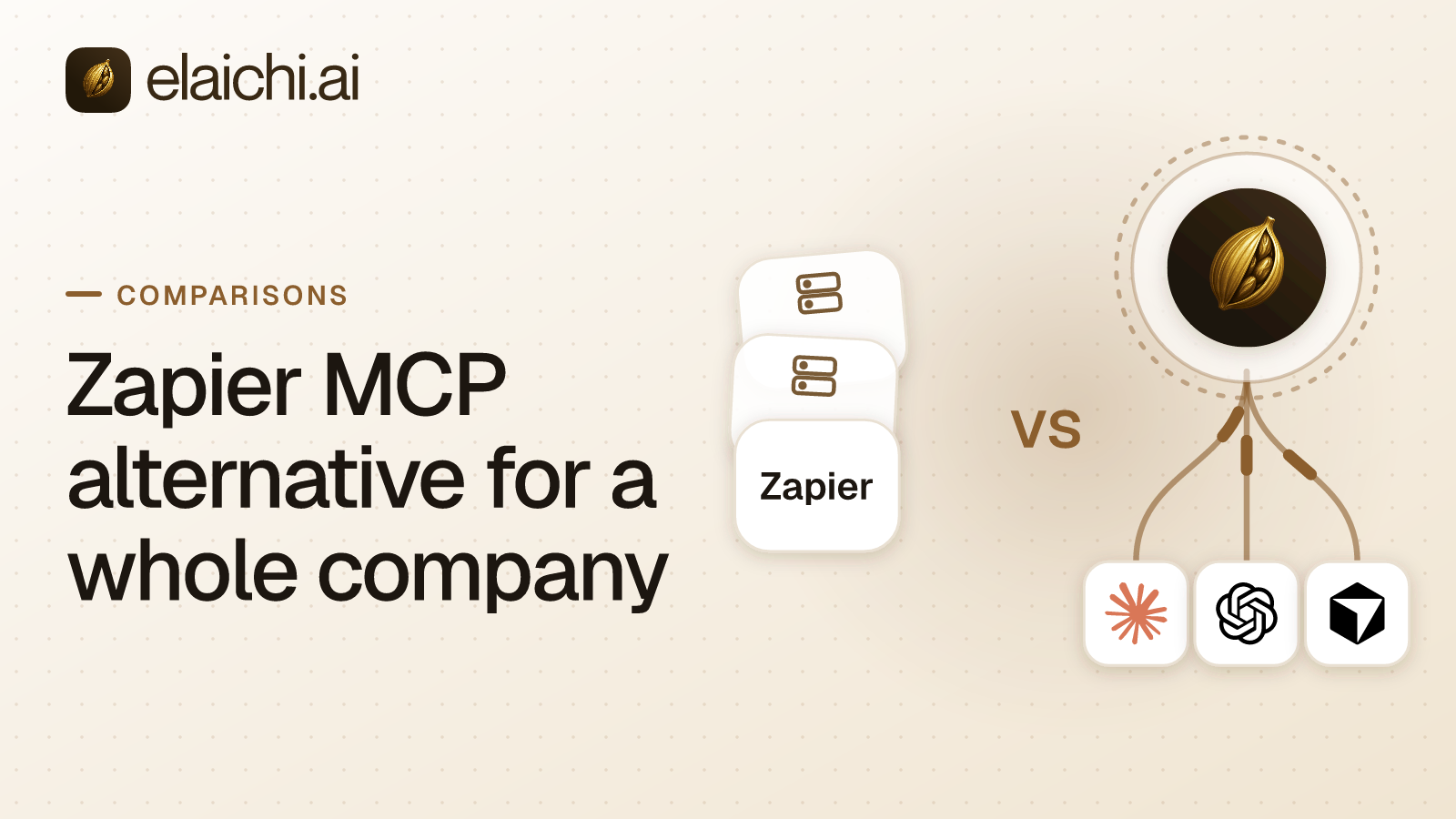
Your company wants Claude, ChatGPT and Cursor to work with the apps you already pay for. Before you compare features, you choose a design. Zapier MCP connects an AI client to a Zapier account, and each member signs in as themselves. Elaichi is a Zapier MCP alternative built on a different design. It offers one organization-wide endpoint. An endpoint is the web address a client connects to. MCP (Model Context Protocol) is the standard way an AI assistant calls tools in other apps. OAuth is the sign-in method where a person approves access in their browser without sharing a password. The saved record of that approval is a grant. On Elaichi's endpoint the address never changes, and the grant is what varies from person to person.
Both designs are governed. Zapier applies its app and action restrictions to MCP and records tool calls in a History tab. The difference is where control lives. With Zapier, it lives in a Zapier account and its apps. With Elaichi, it lives in connectors that Elaichi serves, with restrictions written against a role or a user. Three questions decide between them: what happens when a person leaves, who may reach what, and what the bill counts as usage grows.
Disclosure: Elaichi is the vendor, so its claims here are self-reported and current as of publication. Where a number matters to your decision, check the security page or the pricing page.
What does Zapier MCP give each person?
Each person gets access to the apps connected on their own Zapier account. In most MCP clients, the member adds Zapier as a connector and signs in from inside the client. Zapier creates and sets up the server during that sign-in. Clients that are not on Zapier's list, and code you write yourself, use a connection token instead. Zapier describes that token as long-lived, tied to one server, and good for anyone who holds it. Zapier says to treat it like a password (Zapier, MCP quickstart and how connections work, checked September 2026).
That design is coherent for the reader it is built for. Someone who already automates work in Zapier gets tools backed by apps already connected there, with no second system to set up.
The address is shared, and the server is not. Every client connects to the same Zapier URL, and Zapier's docs go on: "Each MCP client gets its own MCP server: one for Cursor, one for Claude, one for ChatGPT." For token-based clients, Zapier's docs add: "give each user their own server and token rather than sharing one" (how connections work, checked October 2026). In an organization rollout, an admin acts in the MCP client, and each member still signs in to Zapier as themselves. Admins can limit members to a Zapier workspace, and Zapier's app and action restrictions apply to MCP (Zapier, organization rollout and security and governance, checked September 2026). So "what can Sales reach" is answered by how that Zapier account is set up. The trade-off is that the tool layer, the restrictions and the History belong to Zapier accounts. Your AI clients may also reach apps that are not in Zapier at all.
How do Zapier MCP and Elaichi compare side by side?
They differ most on where control lives, what happens when someone leaves, and what the bill counts.
| Question | Zapier MCP | Elaichi |
|---|---|---|
| How a person signs in | OAuth from inside most clients; a connection token for code-based clients | OAuth from inside the client |
| What exists per member | A Zapier MCP server per client, on one shared URL | One OAuth grant per client, against one organization server |
| Whose accounts the tools run against | The app connections on that member's Zapier account | Accounts connected once in Elaichi, shared to a person, a team or the organization by a grant |
| Where "what can Sales reach" is written | Zapier's app and action restrictions and workspace settings | A restriction written against the role or a user |
| How it follows your identity provider | Enterprise SAML SSO extends to MCP access | SAML and OIDC SSO, SCIM v2 for users and groups, and group-to-role mapping, on Gold |
| Where the record of calls lives | A History tab with user-level activity logs | The Elaichi audit log, on Gold; export to your own Datadog with the Black plan, launching soon |
| Where the connectors come from | Zapier's apps and actions, the same ones Zaps use | Connectors authored, maintained and served by Elaichi |
| What use is counted in | Two tasks per successful tool call, from the plan's allowance | Seats: Gold lists at $15 per user per month in USD |
| What happens when a member leaves | Not stated on Zapier's MCP security page | The next call is refused |
| Where the data is stored | AWS US-East 1 | EU, US or APAC, chosen at creation. For EU and US, the data store and org-scoped request execution stay in that jurisdiction. APAC is best-effort placement, not a residency guarantee. The audit trail sits in one EU log instance |
The Zapier column follows Zapier's own pages, checked September 2026, with the per-member row re-checked in October 2026 on how connections work. The last two rows come from its MCP security page. The identity row comes from that same page, checked October 2026.
What happens to AI access when someone leaves?
On Elaichi, the next call from a departed person's AI client is refused. Revoking access is a write to the grant record, not a hunt through each person's servers.
Every call is checked against the OAuth grant, not against the address it was sent to. In Elaichi, removing or suspending a member revokes every live grant in the same transaction as the membership change. Elaichi re-reads the revocation flag from the organization store on every single call, with no cache. That holds whichever client made the call, and suspension works the same way. There is no per-user MCP server to find and remove.
Role membership and restriction changes are slower. They resolve through a 60 second cache plus edge propagation. So they take effect within about two minutes, on MCP, in the console and over REST alike. Write that window into the change ticket. Confirm the current numbers against the security page before they go into a compliance document.
Zapier's MCP security page does not state what happens to a member's own server when that member leaves the Zapier account (MCP security, checked September 2026). Put that question to Zapier before rollout, and keep the answer in writing. For Elaichi's side, offboarding a member with MCP connections gives the order of steps.
How does each design follow your identity provider?
Elaichi reads your directory through SSO and SCIM on the Gold plan. Zapier documents SAML SSO for MCP access on Enterprise.
Elaichi has SAML and OIDC SSO built in-house, plus SCIM v2 for users and groups and group-to-role mapping. Those are Gold features. A SCIM group mapping can confer at most one role, and nothing else. SCIM never sets team membership, so people who join that way are added to teams afterward. A SCIM deprovision suspends the member rather than removing them. In Elaichi, removing or suspending a member revokes every live grant in the same transaction as the membership change. Removing the member, with its offboarding preflight, is a separate step an admin takes in Elaichi.
Zapier's MCP security page states that Enterprise SAML SSO extends to MCP access (MCP security, checked October 2026). What happens to a member's own server when that member leaves is not stated there, so ask Zapier.
Is Elaichi a Zapier MCP alternative for the whole organization?
Yes, for teams that want one server and one place for policy. Elaichi serves one endpoint for the whole organization: POST /mcp. It uses standard MCP over Streamable HTTP with JSON-RPC 2.0. It is stateless, which means it keeps no session between calls, and it sits behind OAuth. There are no per-member servers or tokens to create, list or revoke.
Claude, ChatGPT and Cursor all use that one address. An admin adds it once where the client allows, and each member then connects and signs in with their own OAuth grant. Any other MCP client uses it the same way, so a fourth client does not fork the deployment.
Elaichi authors, maintains and serves most of the connectors behind that address from its own infrastructure, and the rest are vendors' own MCP servers it governs. There are 600+ of them as of publication, listed in the connector catalog. Your company does not run MCP servers, and the endpoint is not a wrapper around an open registry.
Connector credentials are not held in Elaichi either. A separate credential service holds per-account secrets, encrypted at rest, and owns their refresh. A failed refresh marks the connection needs_reauth, meaning it needs a fresh sign-in, instead of failing quietly. Whatever you evaluate, ask what state a broken credential ends up in.
How does Elaichi decide who may reach what?
Elaichi uses three separate layers: permissions, sharing and restrictions. Keeping them distinct is what makes each access question answerable.
Permissions. Permissions say what a person may do in Elaichi: 58 action strings, grouped into roles, with exactly one role per member. The tool:execute permission gates the whole MCP endpoint ahead of every other check. Guest, Auditor and Billing Admin do not have it.
Sharing. Sharing has one building block: a grant of view, use or edit on a resource to a user, a team or the whole organization. A member sees only what they own or what was explicitly shared with them. No organization-level permission silently widens a listing, owners and admins included.
Restrictions. Restrictions decide which connectors and which individual tools a target may reach. In short, restriction targets are role or user only; the organization default is the absence of a rule, which means allow everything. A member is governed by their role's rules and by any rule aimed at them personally, and a tool is reachable only when both admit it. A rule aimed at a member can only narrow what their role allows, and never replaces or loosens a role rule. Within each layer, blocks always beat allows. A restricted tool is withheld from the tool list and cannot be called. Search names it, flagged restricted, with no schema.
A worked example. The Sales role carries one restriction: a block on the HubSpot "delete contact" tool. A rep named Priya needs bulk deletes for data cleanup. She files an access request, and an admin with member:manage approves it. Approval creates an access grant for Priya alone. The grant lifts exactly that tool out of her role rules, and every other Sales rep still hits the role block. Her other role rules keep applying, no rule is written and the role is not edited. A rule aimed at her personally could not do this, because a personal rule can only narrow what her role allows.
Two details matter when you write the first rule. First, note that the allowlist stage engages on the presence of an allow rule, not its contents, so an allow rule that names nothing denies everything. Second, a block matches the tool name or the operation Elaichi pinned at write time, while an allow matches the pinned operation only. Whoever edits a connector's documentation can rename a tool, so governance binds the operation, never the label.
Zapier shares at a different grain. A Zapier MCP server can be shared on Team and Enterprise plans, with Owner, Editor and View only roles. Sharing is limited to members of the same Zapier account (server access, checked September 2026).
How does one endpoint handle a large number of tools?
In Elaichi, connected tools are never listed one by one, however few there are. The model finds them with search_tools and runs them with execute_tool. So the list a client sees stays short, however many accounts sit behind the address. The execute_tool call is only a naming indirection, with the same gates and no privilege of its own.
Ranking matches words, not meaning, and applies a relevance floor. A user with only Notion connected searched for a Cal.com tool and got back a Notion one, because the generic words scored. A tool from the app you did not ask about is worse than nothing, because the model calls it. The relevance floor, from first principles covers the ranking.
What does the audit log answer afterwards?
It answers who did what, through which account, and whether it worked. The audit log holds one entry for each connected-tool call that reaches execution (a call refused earlier writes none). Each entry names the account actually reached, taken from the execution and not from the intent. That answers the first question after an unexpected change: which of two Notion workspaces the agent wrote to.
The actor_kind field is recorded, not inferred, and ai_assistant marks the Elaichi Agent. A call from Claude, ChatGPT or Cursor is recorded under the person who signed in, with surface mcp and the OAuth client named, and those three clients are marked verified. Each entry also carries the operation and tool, the classification, whether the call was approved, the outcome and an error code only. The trail logs the one path argument that names the object, as the target id, and nothing else about the arguments, so it cannot become a second place where secrets leak.
Audit and application logs share one record shape, so a single query answers what happened. Export forwards the trail to your own destination. In Elaichi, export to your own Datadog comes with the Black plan, which is launching soon (Datadog's log docs). Splunk HEC and Microsoft Sentinel are accepted as destinations, but Elaichi delivers events only to Datadog.
Zapier MCP's record is a History tab with user-level activity logs for tool calls (MCP security, checked September 2026). Ask whether it names the account reached when a member holds two accounts of the same app.
What do Zapier MCP and Elaichi cost as headcount grows?
Zapier MCP is metered in tasks and Elaichi in seats, so the two costs grow on different axes. Zapier MCP has no separate charge. Each successful tool call uses two tasks from your Zapier plan's allowance, and a failed call uses none (MCP usage, checked September 2026).
Run that number before rollout, because an assistant makes calls in bursts. One user question can turn into a search, two reads and a write, which is four successful calls and eight tasks. Take a hypothetical 50-person rollout where each person makes 20 successful calls a working day. That is 2,000 tasks a day, or about 44,000 over a 22-day month. Set that against the allowance your existing Zaps leave spare, not the plan's full total. Failed calls cost nothing, which helps while prompts are still being tuned.
Elaichi Gold lists at $15 per user per month in USD, or $120 per user per year, and the pricing page shows the price for your region. At the list price, the same 50 people cost $750 a month on Gold, however many calls they make. There are two plans, Gold and Black, and a 14-day trial, no credit card to start. Checkout does collect a card, and it sets the paid trial to the remaining days rather than granting a fresh 14, so it is one continuous trial rather than two. Suspended members and the free-seat roles, Guest, Billing Admin and the read-only Auditor, are not billed. So seating a compliance reviewer does not cost a license.
As headcount grows, the seat bill grows with people. The task bill grows with people times calls per person, so it also climbs as each person leans on the assistant more. At low volume the comparison flips. Three people making ten calls each a month use 60 tasks on Zapier, but still cost three Gold seats, $45 a month, on Elaichi.
What are the limits to know before you move?
Elaichi has two limits that belong in the body rather than a footnote. The endpoint has no prompt-injection gate, and deletion leaves three stores behind. After those two, check where the data lives.
Prompt injection means hidden instructions in text that trick an AI into acting. The prompt-injection write gate lives in the Elaichi agent window and does not apply to a raw tool call. It cannot apply to POST /mcp, because an MCP server never sees a user prompt. What does hold on the endpoint is permission checks per operation and the forbidden classification, which no OAuth scope can reach. Output redaction, scope limits and an audit row for each call that reaches execution hold too. Anyone claiming this endpoint defends against injection is describing a different surface.
Organization deletion deletes the credentials and tears down the workspace, but it leaves three stores behind: the audit history (each record ages out under the log server's 90-day retention, counted from when it was written), analytics events and the credential service's connector configuration rows. Elaichi returns that leftover by name. If data-deletion rules apply to you, confirm the details directly with Elaichi.
An Elaichi organization picks its region at creation: EU, US or APAC. For EU and US, the organization's data store and the execution of its org-scoped requests and tool calls stay in that jurisdiction. APAC uses best-effort placement and is not a residency guarantee. Every organization's audit trail, whatever its region, is stored in one log instance in the EU. Zapier states that Zapier MCP data is stored in AWS US-East 1. Its security page also names the certification the service runs under (checked September 2026).
When is Zapier MCP the right choice?
Zapier MCP is the right choice when your team already lives in Zapier. Use Zapier MCP when all of the following hold:
- Your team already builds in Zapier, and the apps you want to reach are already connected there.
- The people who need access sign in to Zapier themselves. Zapier's own restrictions and History answer the access questions your reviewer asks.
- The value you want is the automation platform itself, not just MCP access to your other tools.
- Your task allowance absorbs two tasks per successful call at the volume you expect.
Move to a governed, single-endpoint design when any of the following becomes true instead:
- Someone other than the user has to describe, change and prove access for more than one person. They need one place for it, across accounts that are not all in Zapier.
- Offboarding is a recurring event, not a one-time setup.
- A security or compliance reviewer needs to answer "what can this role reach" without interviewing each team member.
There is a smaller case still: one app, three people, one client, and no reviewer asking questions. Neither Zapier MCP nor Elaichi earns its keep there, and the case for skipping a gateway for now is the more useful read.
How do you sort your own case in an afternoon?
Most of the sorting comes down to whether the work is automation-shaped or client-shaped. Automation-shaped means the actions you want are the ones your Zaps already fire. Client-shaped means several AI clients need governed access to systems of record. Five desk checks settle which one you have.
- Count the AI clients your people use, and check each against Zapier's supported list. Anything outside it needs a connection token, which Zapier says to treat like a password (quickstart, checked September 2026).
- Estimate successful calls per person per working day, then multiply by two tasks and by headcount.
- List the apps the assistant must reach. Check how many are already connected in Zapier, and how many are in Elaichi's connector catalog. On Elaichi, every account is connected once, even one Zapier already holds.
- Write down the offboarding path for one leaver in each design, and ask Zapier what becomes of that member's server.
- Name who must answer "which account did the agent write to", and check that each record names it.
If most answers point at Zapier, stay there. Otherwise, test both designs for two weeks.
How do you test Zapier MCP against Elaichi in two weeks?
Run both against one team with a real workload, such as support or finance, and give each product the same five tasks. Two weeks fits inside Elaichi's trial, and a trial that ends without checkout pauses the workspace without deleting anything.
- Connect one shared business account in each product, and point the same MCP client at both.
- Give three people access, and have each run the five tasks from their own client.
- Block one destructive action in each product, and confirm from the client that it can no longer be called.
- Remove a test member, and time from the client how long access keeps working.
- Open each record and check the account reached, who called, and which client made the call.
- Multiply the observed calls per person by your headcount, and price both bills at that volume.
The product overview describes the endpoint and console, and the governance posts cover roles, restrictions and offboarding. If running your own servers is also on the table, the real cost of self-hosting covers that fork.