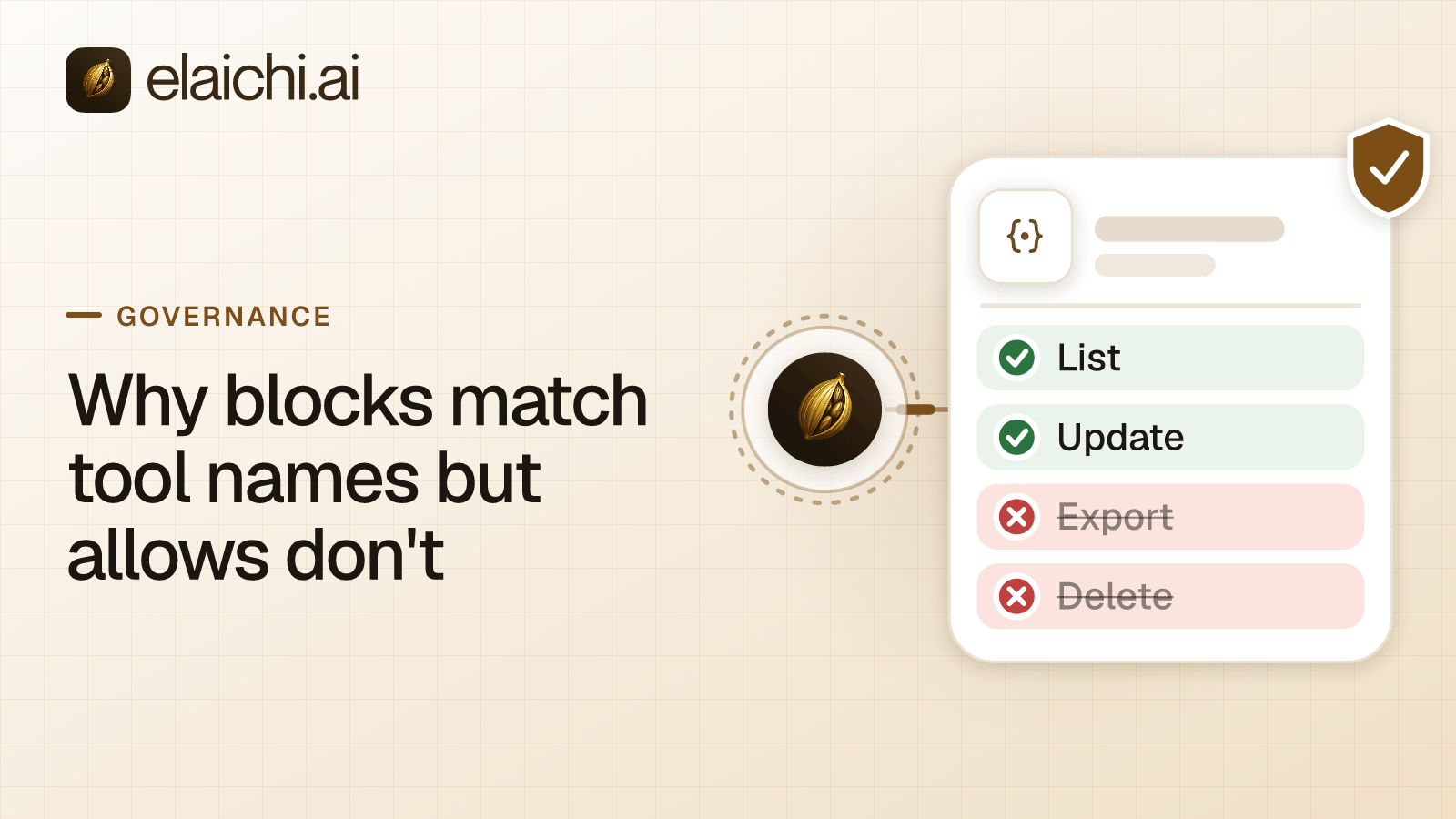
Why do blocks match tool names but allows do not?
In Elaichi, blocks match tool names or the operation behind them, and allows match the operation only. The split comes down to who controls each one. You control the operation, because Elaichi looks it up in its catalog when you save the rule. Whoever maintains the connector controls the name, and a rename must never widen what a role can reach.
Here is the case the design is built for. You restrict a tool called delete_contact for the Member role. Six weeks later, someone with edit rights on that connector renames it archive_contact. The call underneath has not changed: the same kind of record, the same action, the same records gone. Only the label moved, and your block still holds because the operation still matches.
A few terms first. MCP (Model Context Protocol) is the standard way an AI assistant calls tools in other apps. A connector is Elaichi's ready-made link to one app, such as HubSpot. Restrictions decide which connectors and which individual tools a target may reach. An operation is what a tool actually does: the kind of record it touches and the action it takes, such as deleting a contact.
The MCP specification's page on tools identifies each tool by a name and describes it with metadata the server supplies. It tells servers to implement proper access controls and leaves the design of those controls to them. So any system that layers role-based access control over MCP has to settle one question. That question is what a rule should match when one action appears under two names at different times. Elaichi's answer is the asymmetry above, and it holds just as well for a permission layer you build yourself.
What does Elaichi record when you save a rule?
It records the tool you clicked and the operation behind it, side by side. You write a rule in the terms the console shows: pick a connector, pick a tool, choose allow or block, and choose a target. On save, Elaichi looks the tool up in its catalog and stores the operation with the rule. For delete_contact, that is the delete action on the contacts record type.
The lookup happens once, at save time, rather than each time a call is checked. That timing is deliberate. A rule worked out again on every call would mean whatever the connector says today. Your decision would become a question put to editable documentation. Recording the operation at save time keeps the rule a record of what the administrator meant on the day they wrote it.
Two more facts decide which rules apply to a given call. First, restriction targets are role or user only; the organization default is the absence of a rule, which means allow everything.
Second, a member sits under two layers at once: the rules on their role and the rules aimed at them. A rule aimed at a member can only narrow what their role allows, and never replaces or loosens a role rule. A call passes only when both layers admit it. Inside each layer, allow rules add up, block rules add up, and a block always beats an allow. With no rule at all, nothing is restricted.
Which part of a tool does each rule check?
A block checks the name and the operation, and either match is enough. An allow checks the operation and ignores the name. Once Elaichi has gathered the rules that apply to a call, that is the only difference between the two rule types:
| Rule type | Checks the displayed tool name? | Checks the operation recorded at save time? | With no rule of this type in the layer | Against the other rule type |
|---|---|---|---|---|
| Block | Yes | Yes (either match is enough) | Nothing is restricted by this check | Always wins over an allow |
| Allow | No | Yes, and only this | The layer allows everything | Loses to any matching block |
Three consequences follow:
- A block denies the call if the displayed name matches or if the recorded operation matches.
- An allow passes the call only if the recorded operation matches. The displayed name plays no part.
- Blocks have the last word. A call that passes the allowlist but matches a block is denied.
One principle covers all three. Anything a block matches on can only make the system stricter, so a block may lean on an editable string. Anything an allow matches on grants reach, so an allow may not.
Why can't an allow rule trust the tool name?
Because the name belongs to whoever maintains the connector, who is often not the person who wrote the restriction. A tool's displayed name lives in the connector's configuration. Your organization can author connectors from JSON config, and it can fork a public connector and edit the copy. The permission behind that work, connector:create, is flagged high trust in Elaichi, because a custom connector can call any destination you give it.
So a name is a label someone attaches, not a fixed property of an operation. The MCP specification takes a similar line on the hints a tool gives about its own behavior. Clients must treat those tool annotations as untrusted unless they come from a trusted server. In a governance model, a string the governed side can change must never be the thing that grants reach.
Picture the two ways this could fail.
If an allow matched on the name, an editor could give an unwanted operation a name your allowlist already covers. The call would then pass. A documentation edit would widen the allowlist silently, with no rule change and no approval.
If a block matched on the operation only, a rename would not beat it, since the operation is what counts. Matching the name as well adds a second net: the block also stops any tool that carries the name you blocked, whatever sits behind it. Neither check can grant anything. The worst a wrong match on a block can do is deny a call, and an administrator fixes that by adjusting the rule.
That is the whole argument. Governance binds the operation. The name check on blocks is a safety net, and a safety net is only ever allowed to catch.
What happens if an allow rule names nothing?
It denies everything for that target. In Elaichi, the allowlist stage engages on the presence of an allow rule, not its contents, so an allow rule that names nothing denies everything. That makes it the strictest rule you can write, not a harmless placeholder.
To record "no restrictions decided yet," save no rule at all, because with no rule the default is allow-all. If a role suddenly reaches nothing, check for an empty allow rule first.
The strictness is the point of an allowlist. NIST SP 800-53 states least privilege in control AC-6: allow only the access needed for assigned tasks. The control covers users and the processes acting on their behalf. An AI client calling tools for a member is one of those processes. An allowlist is how you write least privilege down for a role, and it only works if a rename cannot widen it.
Where does Elaichi check a restriction?
Elaichi checks every rule with the same resolver, the code that decides allow or deny. It runs at every place a member can reach a connector or tool, including listing, connecting, advertising, executing, the final outbound-request check and opening a stored tool file. Of those, four checks decide most cases, and each answers a different question:
- Browse. Can this role see that the connector exists in the catalog?
- Connect. Can this role set up a connection to it?
- Advertise. Is this tool in the list an AI client receives?
- Execute. Does the actual call, with its actual arguments, pass the same allow and block logic?
The final check runs after every variable in the outbound web address has been filled in.
The advertise check changes what a model can even attempt. Elaichi withholds a restricted tool from the tool list for a member of that role over MCP, and the tool cannot be called. Search names it, flagged restricted, with no schema. The model cannot pick the tool, guess at it or call it.
The execute check covers any call that arrives anyway. Wrapping a call in execute_tool changes nothing. Elaichi unwraps it to the original tool and arguments, and the call meets every check a direct call would. There is no second path with weaker matching. OWASP's guidance on excessive agency in LLM applications names this principle complete mediation. Authorization is enforced in the downstream system on every request, rather than left to the model to decide.
A saved change does not land at once. A restriction change first waits out a 60-second cache, then spreads across the edge network. It takes effect within about two minutes on MCP, the console and the REST API alike. Grant revocation is faster, and so are removing and suspending a member. In Elaichi, removing or suspending a member revokes every live grant in the same transaction as the membership change. The grant is re-read on every call, so the next call is refused.
Do restrictions apply to forked connectors?
Blocks do. A block on a public connector also catches forks of it. A forked connector's identity includes its declared lineage, the chain of parents it says it came from, followed to the root. That inheritance applies to blocks only. It fails closed if the chain is cut off or loops, so a lineage that cannot be followed counts as restricted. An administrator does not need to track down every fork to keep a block in force.
Elaichi does not treat the host a connector calls as part of its identity. Two connectors that call the same domain are not the same connector, and a connector that changes host is not a new one. Identity comes from the catalog entry and its declared parents, not from where the network traffic ends up.
What do frozen parameters add to restrictions?
Restrictions decide whether a tool is reachable at all. Frozen parameters decide what a reachable tool may be called with. Each one fixes an argument's value, so an allowed tool can only run with that value.
A frozen parameter is set on one toolbox entry, and a toolbox is a named set of tools shared with people. Elaichi leaves a frozen field out of the schema the model receives, so the model is never asked to fill it. A short frozen value shows in the tool description, but the model cannot change it. At execution, Elaichi writes the frozen value over whatever the caller sent, so sending the field anyway changes nothing. Entry defaults lose to caller arguments, and both lose to frozen values.
Freezing a workspace ID narrows what an allowed tool can touch. It does not replace a block on a tool nobody should reach. Locking the payee on a payment tool walks through the mechanic in full.
How do you write a rule that survives a rename?
Write blocks against the destructive operations you mean, at the role level, and keep them. Use allows sparingly, because the first one you save switches that target to deny by default. Re-check an allowlist after a connector is forked or pulls upstream changes. Tools that arrive upstream are new operations, and the allowlist keeps them out until somebody adds them.
Then confirm the rule did what you expected. A call a restriction refuses before execution writes no row, so a block shows up as a missing tool and no entry, not as a log line. The audit log holds one entry for each connected-tool call that reaches execution (a call refused earlier writes none). It records the one path argument that names the object, as the target id, and nothing else about the arguments. A call from an MCP client is recorded under the person who signed in, with surface mcp and the OAuth client named. Claude, ChatGPT and Cursor are marked verified. So "which client made this call" is answered from the record, not from a user agent string.
When can you skip rules like these?
You can skip all of this if your organization has one connected account, three people, and everyone is equally trusted with it. With no rules, the default is allow-all. That is a defensible position while the blast radius is one workspace you can inspect by hand.
The difference between name and operation starts to matter in three cases:
- Connectors are forked or written in-house.
- The people who edit a connector are not the people who set policy.
- Roles differ enough that one of them should not see a tool exists.
It also matters once access stops being arranged person by person. Replacing per-member MCP servers with one endpoint covers that shift.
Where do block and allow rules sit in the rest of Elaichi?
Inside restrictions, which sit on top of roles, behind one MCP endpoint. For when to restrict one tool rather than a whole connector, see six cases for per-tool rules. The product overview shows how roles, restrictions and the endpoint fit together, and the security page covers residency, audit tenancy and key management. Elaichi has 600+ connectors, each with its own page, such as Airtable or Asana, and use cases by team show what each group typically needs to reach.